Hi,
I’m trying to get a better understanding of FMOD’s priority system and how it relates to virtual voices, and I wonder if this is expected behavior or a bug.
In an environment with many playing FMOD events, higher priority virtualized voices seem to steal from voices with lower priority that shouldn’t be virtualized.
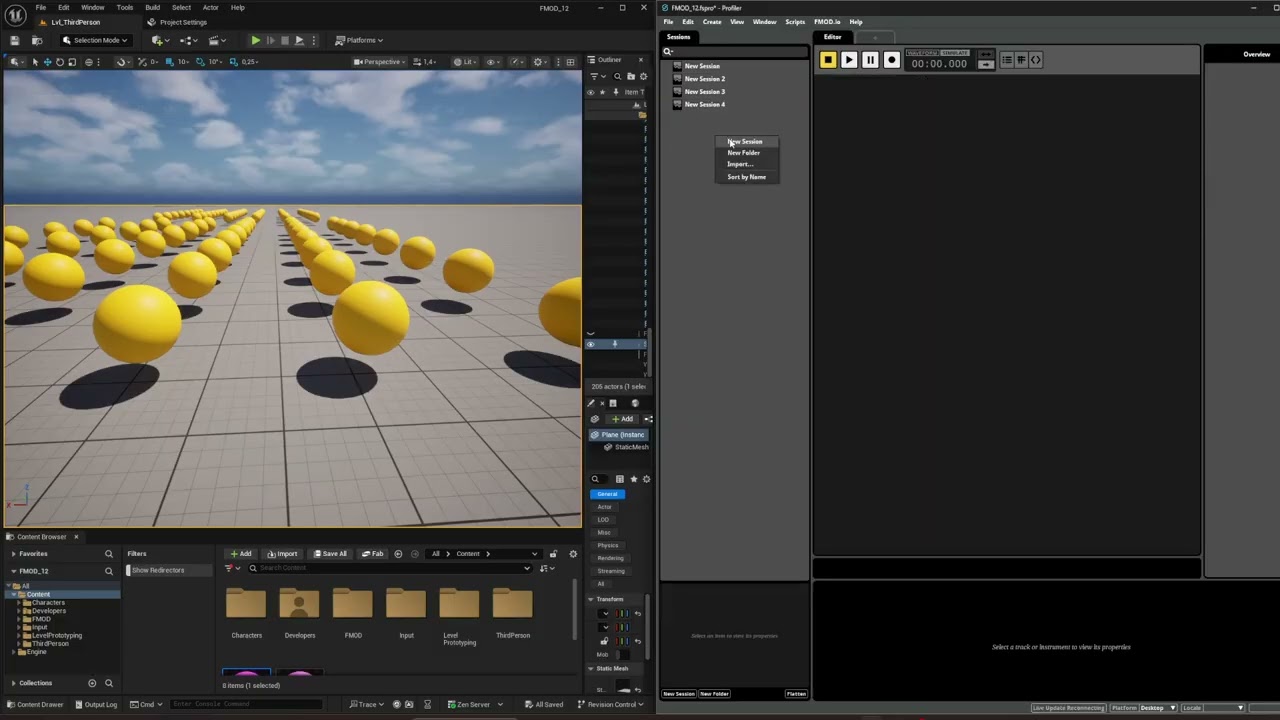
In the video below, there are 194 FMOD events playing. The green spheres contain FMOD events with medium priority and the yellow spheres contain low priority events. In the profiler and UE FMOD debugger we see most voices are virtualized. When moving near a low priority FMOD event, they seem to be stolen by the medium priority virtualized voices. I would expect that the medium priority voices don’t affect stealing behavior when virtualized.
In the example all events are looping. I observed the same behavior with low priority one shot events, these are also virtualized/prevented from playing by higher priority virtualized events.
We observed this issue in our project with FMOD 02.03.09 and UE5.6, and I managed to recreate it in isolated projects with both FMOD 02.03.09 & 02.03.12 with UE5.6.
Video showcasing the problem:
Hi,
Thank you for bringing this to our attention and the video show casing the issue.
Would it be possible to upload the test UE project to your profile so I can test it on my side. Would it also be possible to include the FMOD project with the following settings:
What is interesting in the 3D preview we can see the events are currently playing:
As they are all solid icons. If the voices were virtual we’d see them as hollow icons or if they are not playing then we wouldn’t see them in the preview at all.
Could I also please grab a screenshot of your FMOD integration Init settings:
Thank you again for the video
Hi Conner, thank you for the quick reply. I can’t upload the test project in my profile because our project is not registered yet (corresponded with Matthew about that). Can I upload any other way or do we need to register the project first?
Indeed interesting that the voices are not hollow as they’re supposed to be. I honestly thought that was part of an update, since I can see them being virtualized on the voice tracker channel in the profiler.
Here is a screenshot of the init settings:
Thank you for the settings, everything looks good there.
Apologies about that, you can upload to your profile now.
Thank you, I just uploaded the files to my profile
Thank you for the project it really helps with the investigation. I have been able to reproduce the issue and made a task to investigate the issue. Unfortunately, I do not have a workaround.
Good to know you can reproduce it. We can work around it, looking forward to an update/fix. Thanks!