Hello,
Recently been running into some issues with doppler when using more recent versions of FMOD (2.03).
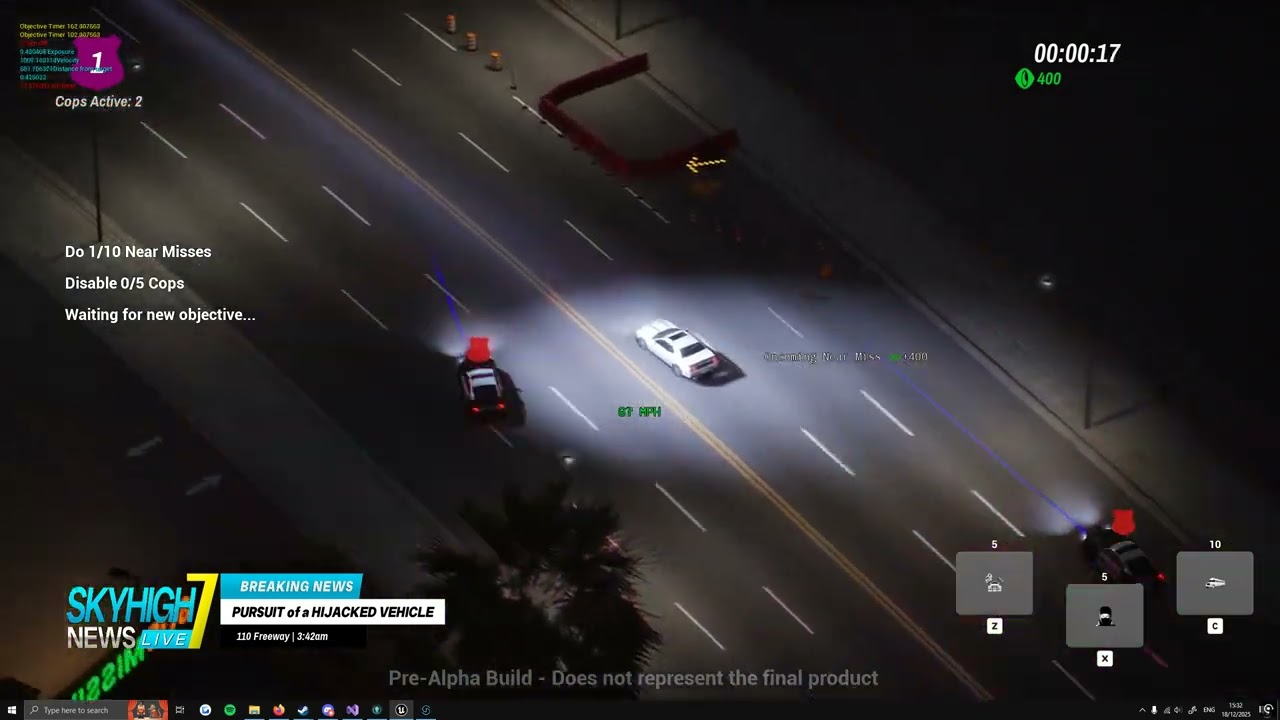
When using doppler on newer versions, physics enabled objects sound jittery. I have linked a video to demonstrate, mainly listen for the police sirens near the very end of the video. Sounds like the position that doppler uses is moving around really quickly causing that jitter despite the cars in-game looking fine.
This is an issue that has only appeared since trying to update FMOD to the latest version 2.03.11 but also slightly older version 2.03.09.
I initially thought it was to do with Unreal engine version as I initially encountered this issue when trying to update UE to 5.6 (which required an FMOD version update) however I’ve recently also tried updating FMOD on our current UE version 5.2 and have ran into the same issue.
I was previously referencing this post as the UE version causing this issue I dont know what my problem is - #3 by apfelbaum but possibly this isn’t the case as 5.2 with the updated FMOD also causes the problem while older versions of FMOD (2.02.18 specifically) seems fine.
If you guys can have a look into this that would be great, if you need anything else from me to help let me know 
Thanks,
Calum
Hi,
Thank you for all the information.
Are you able to reproduce the issue in a simple test map? Or is it only happening when in your specific game situation.
It could be an issue with the attenuation position. Another forum discussing a similar issue can be found here: Attenuation on Character, Spatialization on the Camera -- UE5.1 - Fmod Studio 2.02.11.
Just to confirm, the original version was 2.02.18?
Hey Connor,
Thanks for the reply, spent a bit more time digging into the issue.
Tried some more versions of the plugin to see which one started causing the issues and it seems to be v2.02.23.
Had a look at the commit for that version on your github and from what I can tell it’s to do with a change on how the velocity is calculated for the FMODAudioComponent, here is the link to the commit Update for 2.02.23 · fmod/fmod-for-unreal@8fd5664 · GitHub
Velocity before this commit was retrieved directly from the owner actor while this commit changed it to be manually calculated from the component position difference from the previous tick, changing the attr.velocity value back to what it was before (GetOwner→GetVelocity) seems to fix the issue.
I am using async physics with my game so possibly there is something there that is causing issues with the manual velocity calulcations? (I haven’t had a chance to test without async as turning it off would break a number of things haha).
I also tried directly retrieving the component velocity using GetComponentVelocity and that also seemed to work correctly
The async physics in Unreal is a tricky horse. Via the ’p.AsyncInterpolationMultiplier’ you can tell Unreal how many physics ticks into the past the the gamethread representation should be interpolated to. Where the final calculated delta time is used is for example inside ‘PhysicsSolverBaseImpl.h’, retrieved via ‘GetPhysicsResultsTime_External()’. Usually Unreal interpolates for the AActor the gamethread transforms based on the multiplier, I never tested it and thus cannot say for sure wether all (including non physics) or any component transforms are updated based on that.
Perhaps the FMOD team may want to have a look at it and perhaps additionally add an option to choose from using the owner velocity or the component velocity.
Best regards.
Thank you for identifying the change and sharing your workaround.
Would it be possible to create a small test project that is using your specific movement that causes the issue?
In the meantime, I have created a task to investigate the issue.
Thank you for the suggestion. I will add it to the task
I can have a look into getting something setup that you guys can use to reproduce the issue
Hello,
Spent the last day or so investigating in a separate project.
Seems to me that variation in frame time is what causes the issues rather than async.
In my test project I have two pawns that move with physics enabled with a hard set velocity of 250kmh (set each tick). Running normally at steady 120fps seems fine but running the t.unsteadyfps command (which simulates unsteady fps between 8-32fps) brings up the issue.
Offsetting the audio component from the physics enabled mesh (which is also the root component of the pawn) seems to worsen the issue.
Moving the pawns at higher speeds also seem to worsen the issue.
Having async physics enabled or not seems to not matter.
I can send over the test project for you guys to have a look at, let me know what the best way to get that to you is
We really appreciate your assistance investigating the issue. The test project can be uploaded to your profile.
I will update the task with the new information.
That should be the test project uploaded as a zip to my profile,
Should just be a case of running the project playing and using the t.unsteadyfps command to show the issue
Thank you for the project, I have been able to reproduce the issue and updated the task to address it.
In our Unity integration we apply clamping to the velocity of our emitters to deal with this issue. In FMODAudioComponent.cpp add a line under 437 if you add Velocity = Velocity.GetClampedToMaxSize(20.0f); should be a valid workaround for the time being.
Thank you for your assistance in investigating the issue and creating the test project!
Hi @Connor_FMOD ,
could you add this fix to the next release of the plugin for if this really is the cure? Also, are you sure we should clamp to 20, not 2000 as unreal engine has centimeter units?
best regards.
PS, i just tried the proposed solution and it makes the problem even worse 
Hi,
Unfortunately, it is still in our backlog. I will add your interest.
Does it help if you change it to 2000 rather than the 20?
If you are looking for a potential fix (it might break other things as I’m not sure why the change was made) but my previous comment (what I’m replying to) had the specific commit for the plugin that broke things and reverting back seemed to fix it.
I just tried using the GetOwner()->GetVelocity() directly and unfortunately it doesn’t solve the problem as well 
I have confirmed the workaround does not in fact work. Unfortunately, the issue is still in our backlog so I will update its priority.